
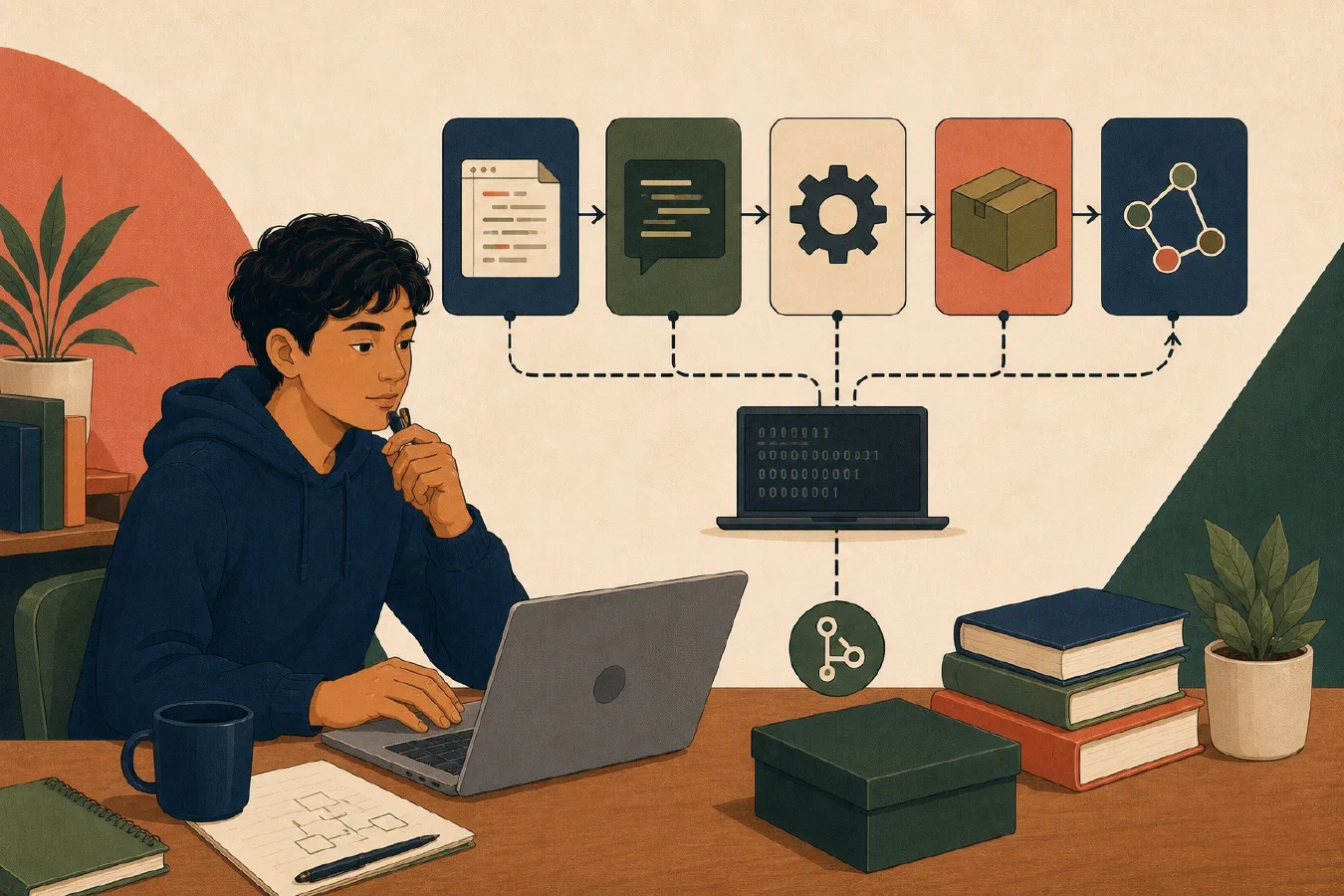
A programming environment is a collection of parts, not one application. The editor changes source files. The language defines how source is written. A compiler or interpreter processes it. A runtime supports execution. A package manager handles external code. Linters, formatters, debuggers, and test runners check or inspect different aspects of the work.
When you name the parts, an error becomes easier to locate.
The editor changes files
An editor lets you create and modify source code. It may also show project files, open a terminal, run extensions, and call other tools.
The editor is not the programming language. Installing another color theme does not change Python syntax. Opening Java in a different editor does not replace the Java compiler. A green “Run” button usually invokes commands and tools configured elsewhere.
An integrated development environment, or IDE, bundles editing with additional features. The boundaries may be visually hidden, but they still matter.
The language defines valid programs
A programming language specifies syntax and meaning. It determines which expressions, statements, types, and program structures are valid.
A source file contains text written according to those rules:
message = "Hello"
print(message)
The .py extension helps tools identify a Python source file. It does not
execute the program. Another component must read and process the source.
Language versions matter. Code accepted by one version may use syntax or features unavailable in another. Record the course-required version instead of assuming that “Python” or “Java” identifies one environment.
Compilers and interpreters process source
A compiler translates source into another representation before or during execution. An interpreter executes program instructions through an implementation that reads or evaluates them.
The division is not a clean language label. An implementation may compile source to bytecode and then execute that bytecode in a virtual machine. It may also compile frequently used code while the program runs.
Java provides a visible example: Oracle documents that
javac
reads Java source and compiles it into class files that run on the Java Virtual
Machine.
Use the course’s concrete commands rather than arguing that a language is strictly “compiled” or “interpreted.”
The runtime supports execution
A runtime is the environment that makes a program run. Depending on the language and implementation, it may include:
- a virtual machine or interpreter process;
- standard libraries;
- memory management;
- module loading;
- access to operating-system services; and
- error handling.
The compiler and runtime may arrive in one development kit, but their jobs are different. A program can compile successfully and still fail at runtime because of missing input, an invalid operation, or an unavailable dependency.
This gives you two useful questions:
- Did the tool accept and translate the program?
- What happened when the resulting program executed?
Package managers handle external code
A package manager finds, installs, removes, and reports packages used by a
language ecosystem or project. Examples include pip in Python workflows and
npm in Node.js workflows.
A package is not automatically part of the language or standard library. Installing one changes the environment and can introduce more dependencies. The package manager, package source, requested version, and target environment all affect the result.
Use the method required by the course. Do not install a package globally merely because an import or module name is missing.
Git records selected project versions
Git is a version-control tool. In one project repository, it can record selected snapshots of files so you can inspect changes and return to an earlier recorded state. Git works locally; a course can use it without using GitHub.
Git is not the editor, language, runtime, compiler, or package manager. GitHub hosts repositories and collaboration services. File synchronization copies current files between locations, while backup protects recoverable copies under a separate retention plan. These tools can work together, but they do not solve the same problem.
Use Git only when the course or existing project workflow requires it. Do not
run git init casually inside an existing project or another repository. The
later guide on what Git is actually tracking
teaches repository states and commands in a disposable folder. Git’s official
documentation defines it as a distributed
revision-control system.
Four supporting tools answer different questions
Linter
A linter analyzes source for selected problems or conventions. It may report unused names, suspicious constructs, or style rules. A clean lint result does not prove correct behavior.
Formatter
A formatter rewrites layout according to defined rules. It can make spacing and line breaks consistent. Formatting does not test program logic.
Debugger
A debugger pauses or controls execution so you can inspect state. Breakpoints, step operations, stack frames, and variable views help investigate how the program reached a result.
Test runner
A test runner discovers and executes tests, then reports whether observed behavior matches expected behavior. Passing tests provide evidence only for the cases and assertions that were actually run.
One tool may expose several of these operations through buttons or extensions. Keep the purposes separate.
Trace one program through the toolchain
Suppose a course project contains:
project/
├── README.md
├── src/
│   └── temperature.py
└── tests/
    └── test_temperature.py
The path through the toolchain might be:
- The editor changes
temperature.py. - The language rules determine whether the source is valid Python.
- The Python implementation and runtime execute it.
- The package manager supplies only course-approved external packages.
- Git, when the course uses it, records selected project snapshots.
- The formatter makes source layout consistent.
- The linter reports selected static concerns.
- The test runner runs
test_temperature.py. - The debugger helps investigate a failing case.
The actual tools and order come from the course. Your map should name them.
Diagnose by component
| Symptom | First component to inspect |
|---|---|
| File saved in the wrong folder | Editor or workspace |
| Syntax rejected | Language version and processor |
| Compiler command missing | Toolchain installation or command path |
| Import or package missing | Active environment and dependencies |
| Program starts, then raises an error | Runtime behavior and program input |
| Formatting differs from course standard | Configured formatter |
| Test is not discovered | Test runner configuration and project root |
| Breakpoint is ignored | Debugger launch configuration |
The table identifies a starting point, not a guaranteed cause.
Common mistakes
- Calling the editor “Python” or “Java.”
- Installing an editor extension and assuming the language runtime is installed.
- Treating compiled and interpreted as permanent, exclusive language categories.
- Installing packages globally without checking the target environment.
- Confusing local Git history with GitHub, synchronization, or backup.
- Treating formatting or lint success as proof that the program works.
- Clicking Run without knowing the command, directory, or configuration used.
Do this now
Choose one course language. Create a toolchain map with these labels:
- Editor or IDE:
- Language and required version:
- Compiler or interpreter command:
- Runtime:
- Package manager:
- Dependency file:
- Version control required by the course:
- Formatter:
- Linter:
- Debugger:
- Test runner and test command:
Write not specified rather than guessing. Use the syllabus, assignment,
starter project, and official course instructions to fill the gaps.
Log what you learned
Record only:
- Result: What did the action produce?
- Evidence: What observation, test, or source supports that result?
- Next action or unresolved question: What should happen next?