
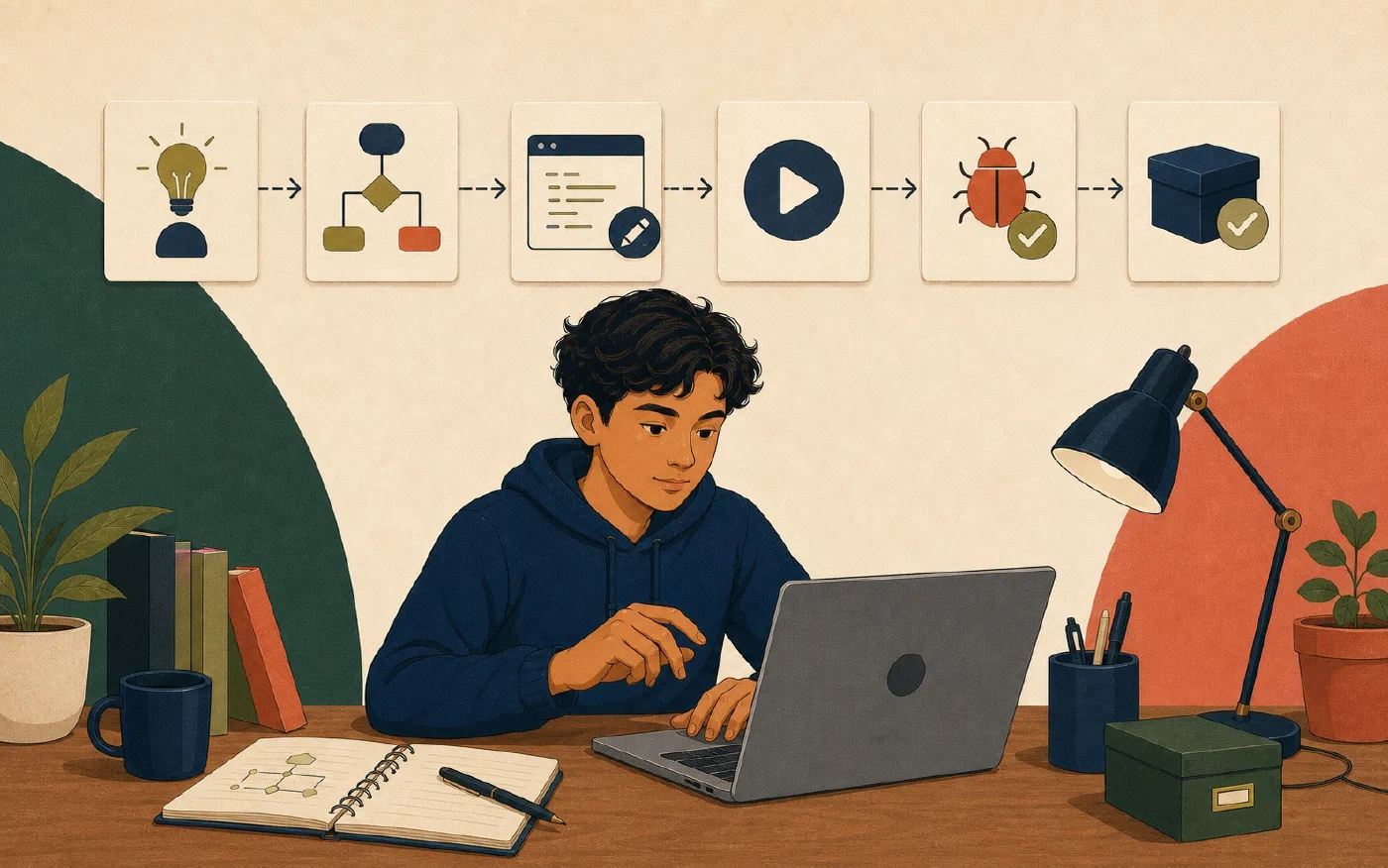
Use one repeatable loop for beginner programming work: understand the task, plan one small change, change the code, run it, test the expected behavior, and create the checkpoint required by the project. A Git project can use a commit; another course may require a working-log entry, saved version, or submission. Each step produces evidence for the next.
The loop prevents a vague assignment from becoming a large, unexplained edit.
1. Understand the task
Before editing, state:
- required inputs;
- expected outputs;
- rules and constraints;
- examples supplied by the course;
- files you may change;
- tests or submission requirements; and
- what “done” means.
Rewrite the requirement in your own words without weakening it.
For example:
Given a Celsius temperature as a number, return the Fahrenheit value using the course formula. The function must handle zero and negative values.
Do not begin by asking AI for a complete solution. Identify what you know, what you do not know, and which course material governs the task.
2. Plan one observable change
Break the task into a change small enough to explain and test:
Change: Add the conversion function for one numeric input.
Expected result: 0 Celsius produces 32 Fahrenheit.
Files: src/temperature.py and its existing test file.
Not changing: input prompts, formatting, or extra units.
A plan limits scope. It also tells you when a suggestion belongs in not now.
Inspect the current code and tests. Preserve naming and structure unless the task requires a change.
3. Change the smallest useful unit
Edit only what the plan requires. Read every line you add or accept.
If the task is unfamiliar:
- write the function signature;
- implement one straightforward case;
- keep the existing interface;
- avoid unrelated cleanup; and
- save the file.
Do not combine a feature, dependency upgrade, formatter change, and folder reorganization. Separate changes are easier to understand and reverse.
When AI assists, ask for an explanation, a small proposal, or a test idea. Compare the proposal with course rules and preserve your own reasoning.
4. Run the program or focused component
Run the documented course command from the project root and active environment. Record the exact command and relevant output.
Running answers:
- Does the command start?
- Does the source parse or compile?
- Does this example produce output?
- Does an error identify a missing file, dependency, or invalid operation?
One successful run does not establish general correctness. It shows what happened for that execution.
5. Test expected, boundary, and invalid behavior
Testing compares observed behavior with an expected result.
For the temperature example:
| Case | Input | Expected purpose |
|---|---|---|
| Expected | 20 |
Ordinary conversion |
| Boundary | 0 |
Known reference value |
| Negative | -40 |
Sign and arithmetic behavior |
| Invalid, if required | "cold" |
Defined input-handling rule |
Use instructor-provided tests first. Add tests only when permitted and when you can explain the expected result independently.
When a test fails:
- keep the failure message;
- identify the smallest differing expectation;
- form one hypothesis;
- inspect the relevant code and state;
- change one cause; and
- rerun the focused test, then the full required set.
Do not change an expected result merely to match the program.
6. Create the required checkpoint
A checkpoint preserves the verified state through the method the project already uses. If the project uses Git or the course instructs you to use it, a commit is the checkpoint. Before committing:
- read the changed files;
- remove debugging output and accidental changes;
- run the required tests;
- check that generated files and secrets are excluded as intended;
- inspect repository status and differences; and
- write a message that describes the change.
If the project does not use Git, record the verified result in the working log and follow the course’s submission or versioning method. Do not initialize Git solely to complete this loop, and do not initialize a repository inside another repository by accident.
Post 34 explains the repository, working tree, staging area, and history. Post
35 develops git status and git diff as inspection tools.
Repeat from evidence
After the checkpoint, select the next smallest requirement. Do not continue because the editor suggests another improvement.
The cycle is:
understand → plan → change → run → test → checkpoint
     ↑                                          |
     └────────── choose next evidence-based task ──────┘
If understanding changes after a failed test, return to the first or second step. A loop is useful because evidence can revise the plan.
Use the first-program workflow card
# First Programming Workflow

## Understand
- Inputs:
- Expected outputs:
- Constraints:
- Definition of done:

## Plan
- One small change:
- Files:
- Expected result:
- Not changing:

## Change
- Lines I can explain:
- AI assistance reviewed:

## Run
- Command and directory:
- Output or error:

## Test
- Expected case:
- Boundary case:
- Invalid case if required:
- Full required test result:

## Checkpoint
- Method required by the project:
- Diff inspected, when using Git:
- Secrets and generated files checked:
- Verification:
- Commit message or saved-version record:

## Next
- Smallest remaining task:
Print the card or keep it beside the working log. It should guide action, not replace assignment instructions.
Common mistakes
- Coding before defining the input and expected result.
- Changing several unrelated concerns at once.
- Treating one successful run as sufficient testing.
- Editing instructor tests to conceal a program error.
- Accepting code that you cannot explain.
- Creating a checkpoint before inspecting changes and running required tests.
- Continuing after unexpected behavior without recording it.
- Adding features that the assignment did not request.
Do this now
Choose one small practice function or current permitted course task. Complete one full loop. Keep the change small enough that the plan, code, tests, and checkpoint record fit on the workflow card.
Log what you learned
Record only:
- Result: What did the action produce?
- Evidence: What observation, test, or source supports that result?
- Next action or unresolved question: What should happen next?